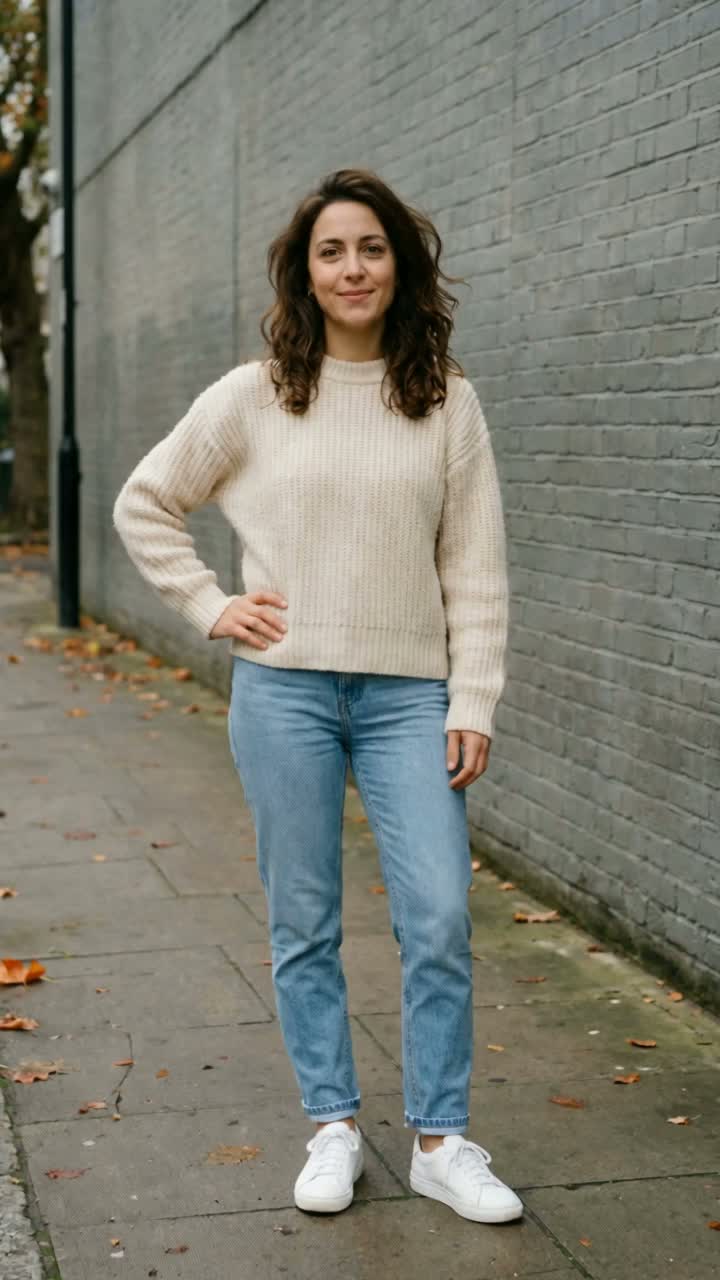
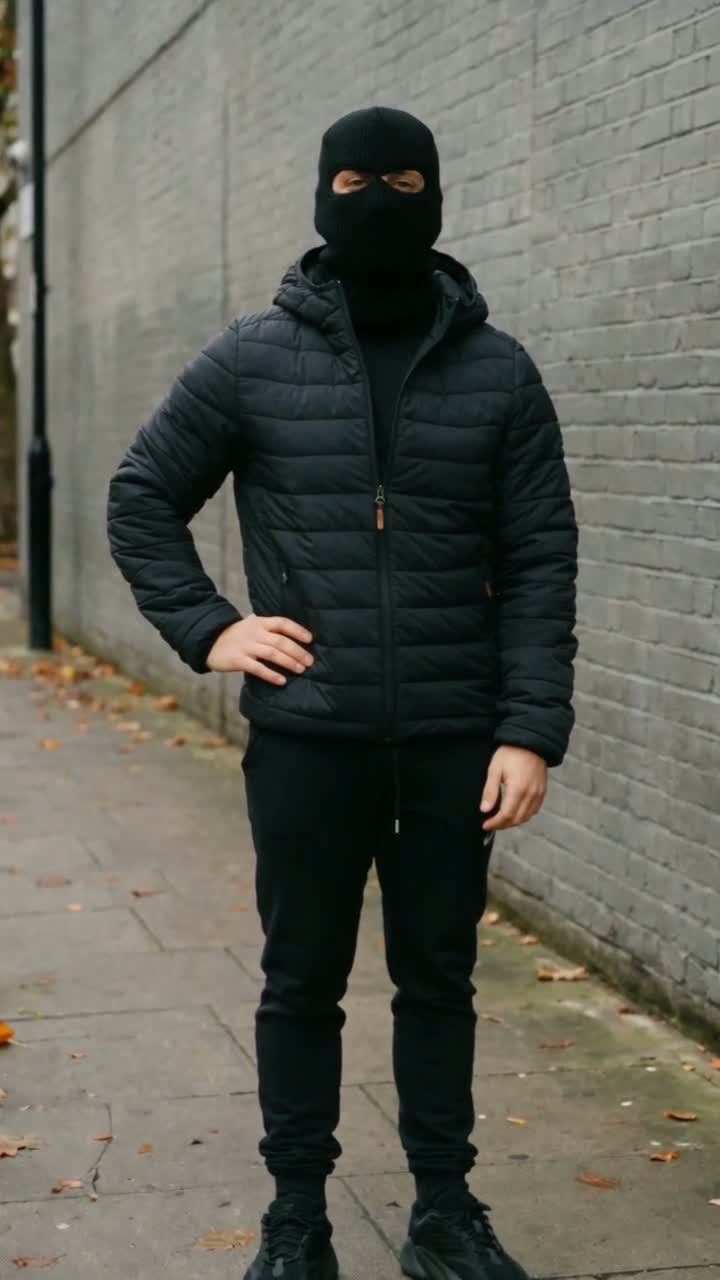
Your photo. One flash. A whole new look.

Mandem in Disguise AIThe flash transformation video generator

An ordinary moment. A camera flash. Then the balaclava and puffer jacket reveal. Put your photo into the Mandem in Disguise AI trend with a solo or two-person video template.

  • 10-second transformation
  • Vertical video · with sound
  • 10 credits per video

Mandem in Disguise

Choose Solo or Duo. For Duo, upload one single-person photo for each role.

Template

Choose your two photos

0 of 2 photos ready

Left person

One adult. Replaces the person on the left in the mirror.

Right person

One adult. Replaces the person on the right holding the phone.

Quality

10s · 720p · 9:16 · With sound · 10 credits

Upload a separate single-person photo for both the left and right roles.

The studio is open. Seedance 2.0 edits the reference using your photos. Each request reserves 10 credits. Identity and soundtrack fidelity can vary; review the result before sharing.

01

The reveal does the talking

Familiar faces. Unexpected disguises.

Keep the opening familiar, let the flash cover the change, and reveal the new look without a complicated edit.

  1. Start with the everyday1

    Start with the everyday

    Use one clear adult portrait for Solo, or two separate adult portraits for Duo. Get permission from everyone pictured.

  2. Let the flash change the scene2

    Let the flash change the scene

    The reference guides a camera-flash transition into a black balaclava, dark jacket and deadpan pose.

  3. Watch the final reveal3

    Watch the final reveal

    Review the finished MP4 for identity, timing and audio. Download your video and label it as AI when sharing.

02

Watch before you create

Solo or together. Choose your reveal.

Compare one solo and two duo references. These previews show the format; personalized output can differ.

Mandem · Solo transformation

One adult. One portrait. A solo outfit reveal.

10-second reference. Personalized output is 10 seconds. Your photos supply the identities.

Use this template ↗

Duo · Mirror selfie

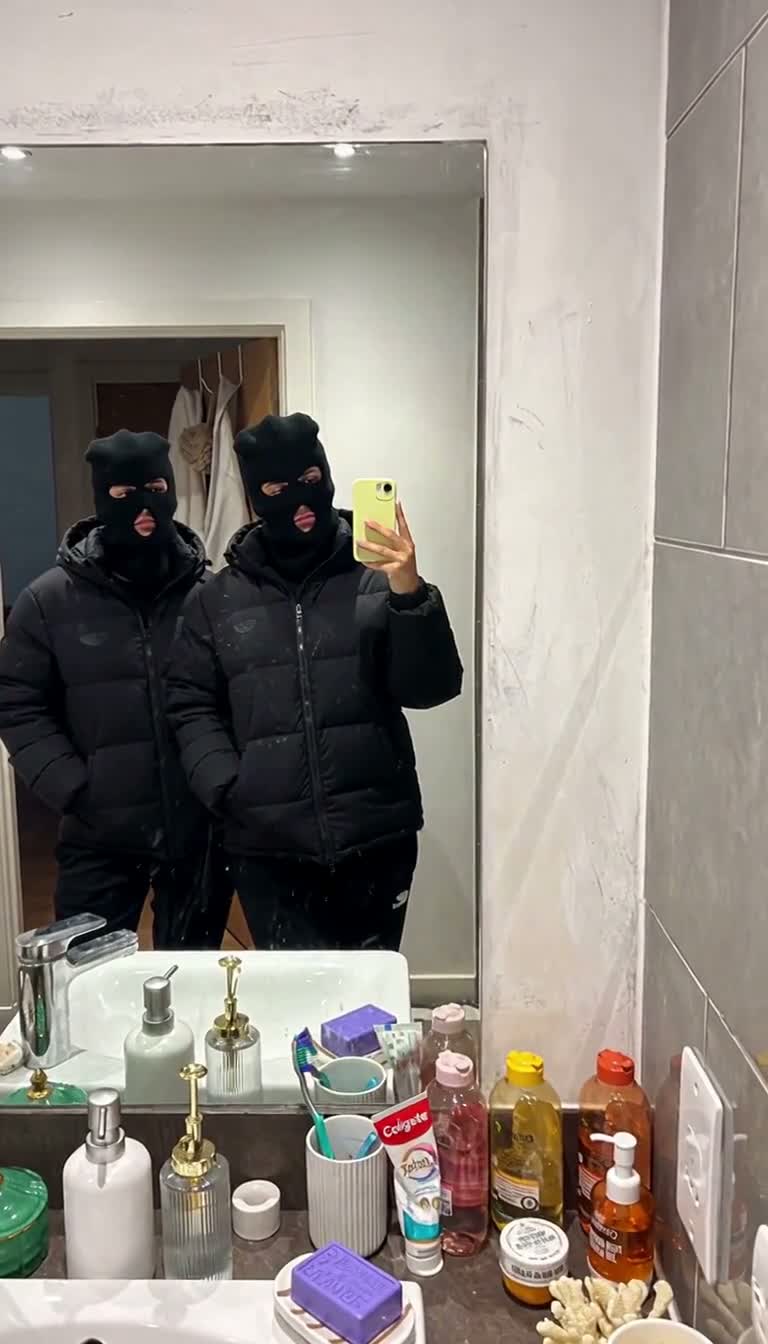
Two adults transform in a mirror selfie. Upload two single-person photos: Left person maps to the left subject; Right person maps to the right subject holding the phone.

Approximately 12-second reference. Personalized output is 10 seconds. Your photos supply the identities.

Use this template ↗

Duo · Close-up flash

Two adults transform in a close-up frame. Upload two single-person photos: Left person maps to the back-left subject; Right person maps to the foreground-right subject.

Approximately 12-second reference. Personalized output is 10 seconds. Your photos supply the identities.

Use this template ↗
03

From photo to reveal

Three steps. No timeline to build.

  1. Choose your photos

    Choose Solo or Duo. Upload one adult portrait for Solo, or one single-person photo in each of the Left person and Right person slots for Duo.

  2. Set up the transformation

    Watch the reference, choose the output quality and confirm your photo permissions.

  3. Generate and review

    Sign in, submit your request and return to your saved task. Preview the completed MP4 before downloading.

How to make a Mandem in Disguise AI video ↗

Choose a pack. Keep your own schedule.

A few credits. Plenty of transformation ideas.

Choose 1, 3 or 10 videos. One payment, no subscription. Sign in to check studio and checkout availability.

1 video

1video
$9.90

A first idea, with room for one complete video.

One purchase; 180 days to use the credits.

  • 10 credits
  • Use with the Mandem transformation templates
  • 10-second transformation · with sound
  • MP4 delivery in the template’s available shape
  • A confirmed failed render restores its credits
Room to experiment

3 videos

3videos
$24.99

Try three looks before picking your favorite.

One purchase; 180 days to use the credits.

  • 30 credits
  • Use with the Mandem transformation templates
  • 10-second transformation · with sound
  • MP4 delivery in the template’s available shape
  • A confirmed failed render restores its credits

10 videos

10videos
$69.99

Ten transformations for the people in your camera roll.

One purchase; 180 days to use the credits.

  • 100 credits
  • Use with the Mandem transformation templates
  • 10-second transformation · with sound
  • MP4 delivery in the template’s available shape
  • A confirmed failed render restores its credits
No recurring billing1 video = 10 creditsConfirmed failed requests: credits restored

Each transformation reserves 10 credits. Output is a 10-second vertical video with sound, in 480p or 720p. All prices are in USD.

04

Before the flash

Mandem in Disguise AI questions

What is Mandem in Disguise AI?

A photo-to-video transformation: an everyday outfit, a camera flash, then a black balaclava and dark puffer jacket. Your uploaded photos supply the adult identities.

Which photos should I upload?

Solo needs one consenting adult. Duo needs two separate single-person photos, with one consenting adult in each. Assign them to Left person and Right person. Use JPG, PNG or WebP, up to 10 MB each.

Does the video use a reference?

Yes. The selected example guides the flash timing, camera movement and outfit transition. Your photos and the video are sent together to Seedance 2.0.

How long is the video?

Output is a 10-second vertical 9:16 video with sound, in 480p or 720p. The preview is a format reference; a personalized result can differ.

What if generation fails?

A request reserves 10 credits. Confirmed failed renders restore them. If the provider response is uncertain, the task stays saved while its status is recovered. Avoid submitting a duplicate.

Will every face and sound match perfectly?

Generative editing can change details. Check the identities, reveal and audio before sharing. Exact facial and soundtrack matching is not guaranteed.

Ready for your reveal?

Bring one portrait for Solo, or two separate portraits for Duo. Let the flash do the rest.

Make my Mandem video ↗
YOUR TRANSFORMATION STUDIO

STEP INTO YOUR STUDIO

Access the studio, check your credit balance and manage your profile with your account.

Continue with email

First visit? Set up an account